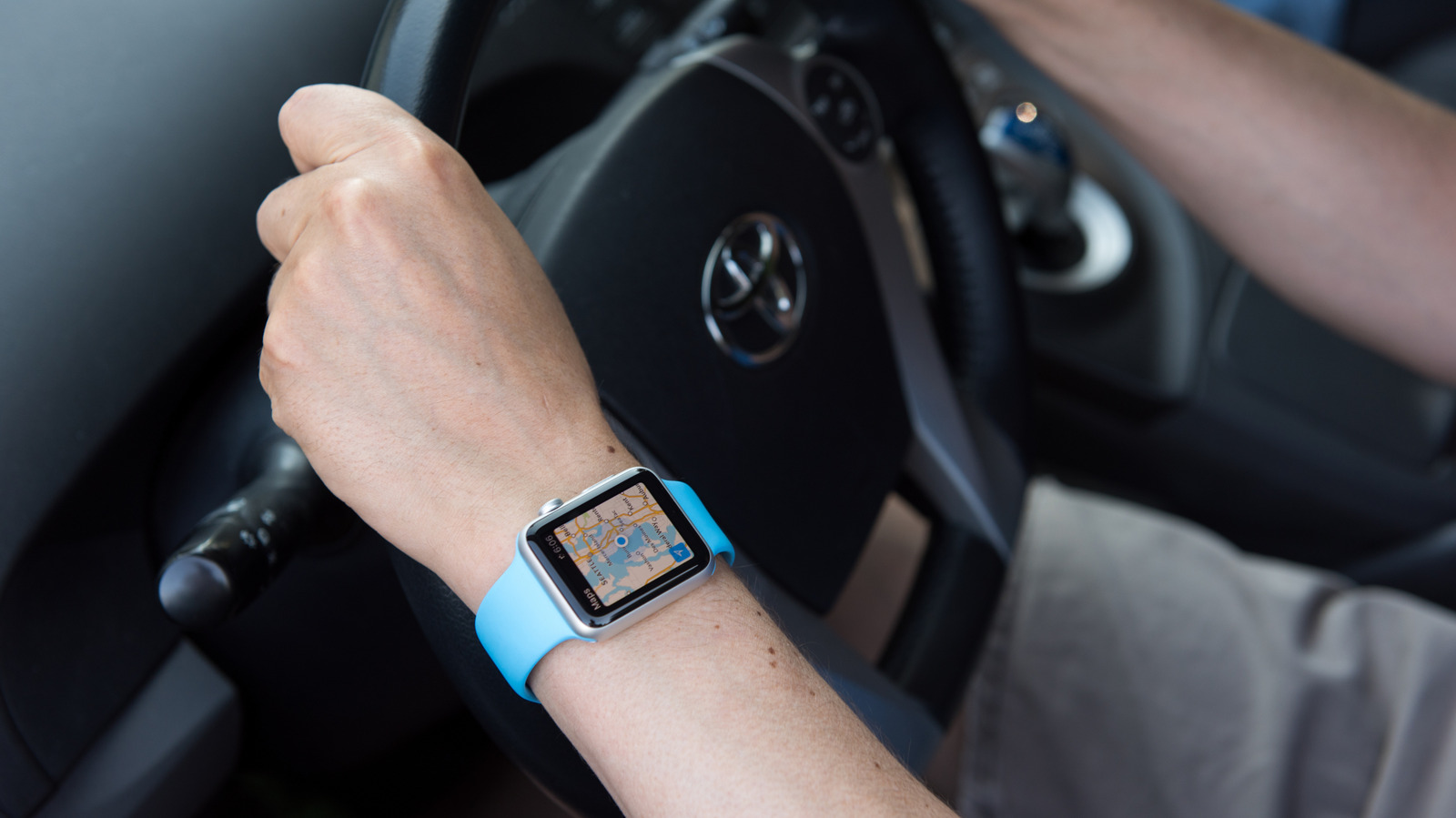
Apple Watch haptic feedback works with Apple CarPlay
AI-assisted summary based on reporting fromEngadget.About our reporting
Key Points
- •Apple Watch provides haptic feedback that vibrates when a turn is approaching.
- •The feature works in tandem with audio and visual alerts from Apple CarPlay.
- •Users can manage these settings through the Watch app on their iPhone.
Listen to this story (Audio briefing)
Apple Watch owners can utilize a specific feature that provides haptic feedback while navigating with Apple CarPlay. This functionality is designed to assist drivers by providing physical vibrations on the wrist when a turn is imminent. These vibrations are synchronized with the audio and visual directions provided by the CarPlay system, ensuring that navigation cues are clear. Users have the ability to select different vibration patterns to distinguish between left and right turns.
This feature is typically enabled by default once the watch is configured. However, users can verify or adjust these settings by opening the Watch app on their iPhone. Within the My Watch tab, users can navigate to the Apps section and select Maps to toggle alerts for driving with CarPlay. The same menu allows users to manage alerts for other activities, including walking and cycling. The author notes that for cyclists, "Audio and haptics may be your only practical cues to make a turn."
While the integration is useful for drivers, it is not possible to run CarPlay exclusively from an Apple Watch. The hardware, including the Apple Watch Ultra 4, lacks the necessary power to support the full CarPlay interface. Additionally, running such a system would significantly drain the device's battery. Furthermore, because Apple Watches do not feature USB ports, they would be limited to wireless connectivity. Despite these limitations, the haptic feedback system remains a functional tool for those who wish to receive physical alerts while navigating during long drives or while operating personal electric vehicles like scooters.
Analysis: This feature provides an additional sensory layer for navigation, which may assist drivers in staying alert during long trips. By combining haptic feedback with standard audio and visual cues, the system offers a method for users to receive directions without needing to look at a screen.
Related Stories in AI & Tech
More in AI & Tech →
Smartphone battery life: how to charge your device
Smartphone batteries are lithium-ion and degrade over time based on charging habits and temperature.

Mechanical vs. membrane keyboards: A comparison
Membrane keyboards use a flexible layer of plastic and rubber to register keystrokes.

Smart TV lifespan and how long displays last
On average, a new smart TV can last from seven to 10 years.

Intel Arc GPUs: Are they still worth buying in 2026?
Intel launched its Arc GPU lineup in 2022, initially facing criticism for poor drivers and system instabilities.

Old iPads can replace costly smart gadgets
An old iPad can replace expensive gadgets costing between $150 and $300.

PlayStation 5 Pro PC build cost and comparison
Sony's PlayStation 5 Pro costs up to $900 before add-ons.
Want to Work Remotely for US & Global Tech Companies?
400+ verified remote positions in AI engineering, cloud development, design, and executive leadership are hiring now worldwide. Fast-track direct application with guaranteed employer delivery.
Subscribe to Our Daily AI & Market Briefing
Get our curated daily news brief, clear market takeaways, and essential video dispatches delivered directly to your inbox.